Barnes & Noble's Nook has a loyal following. Its GlowLight e-readers are comfortable, its page buttons are loved, and buying from a bookseller you know feels good. Still, many readers wonder what else is out there, especially outside the US, or when a device starts to show its age.
This guide compares the main alternatives honestly, explains what happens to your Nook library if you move, and shows how to add a second store without giving anything up.
What Nook does well
Before looking elsewhere, it helps to know what you would be giving up.
- Physical page buttons. The GlowLight 4 and 4 Plus both have them, and many readers won't give them up.
- A bookseller behind it. Barnes & Noble stores, staff picks and a large ebook catalog.
- Sideloading. Nook e-readers open DRM-free EPUB and PDF files, and Adobe DRM library books through Adobe Digital Editions.
- A waterproof large screen. The GlowLight 4 Plus has a 7.8-inch screen and an IPX7 waterproof rating.
- Audiobooks. The GlowLight 4 Plus plays B&N Audiobooks through a headphone jack or Bluetooth.
Why readers look beyond Nook
| Reason | What it means |
|---|---|
| Where you live | The Nook store is built mainly for US readers; elsewhere, options are limited |
| Slow hardware updates | The GlowLight range saw few changes for several years; new devices are promised for 2026 |
| Price of a single store | No one store always has the best price on every book |
| Reading on many screens | Some readers want a browser reader for a work laptop or shared computer |
| Independent authors | Books from small presses and independent authors are spread across many stores |
| Subscriptions | Nook has no all-you-can-read plan like Kindle Unlimited or Kobo Plus |
The current Nook range
If you are deciding whether to replace a Nook, it helps to know Barnes & Noble's list prices today.
| Device | Screen | List price |
|---|---|---|
| NOOK GlowLight 4e | 6-inch | $119.99 |
| NOOK GlowLight 4 | 6-inch, 300ppi | $149.99 |
| NOOK GlowLight 4 Plus | 7.8-inch, 300ppi, IPX7 waterproof | $199.99 |
Barnes & Noble has said new Nook devices are planned for 2026. If your current Nook still works, it may be worth waiting to see them before you buy a different brand.
Nook alternatives compared
| Option | Best for | E-ink device | Read in a browser | Subscription |
|---|---|---|---|---|
| Kobo | E-ink lovers, library borrowers | Yes | No | Kobo Plus |
| Kindle | The biggest catalog | Yes | Yes | Kindle Unlimited |
| Apple Books | iPhone and iPad readers | No | No | No |
| Google Play Books | Android readers | No | Yes | No |
| Libby | Free borrowing | Some, via Kobo or Kindle | Yes | Free with a library card |
| BooksOasis | Independent books and deals on any screen | No | Yes | No; buy once, keep it |
Kobo: the closest match
Kobo feels most like Nook. It is a bookseller-backed store with dedicated e-ink readers, a strong EPUB tradition, and built-in library borrowing through OverDrive on its e-readers. It also sells in many more countries than Nook does.
If you liked Nook for the feel of a dedicated reader, Kobo is where most former Nook readers land. Our Kobo alternatives guide and Kindle vs Kobo comparison go deeper.
Kindle: the biggest store
Kindle has the largest ebook catalog, a wide range of e-readers, Kindle Unlimited at $11.99 a month in the US, and a browser reader. The trade-off is being tied more closely to one company, with books that stay in Amazon's apps and devices.
If you want alternatives to Amazon too, see Kindle alternatives and how to buy ebooks without Amazon.
Apple Books and Google Play Books: phone-first
If you read mostly on a phone or tablet, the store built into your phone is the easiest swap. Apple Books is polished on iPhone, iPad and Mac. Google Play Books works on Android, iPhone and in a web browser, and lets you upload your own EPUB and PDF files.
Neither has its own e-ink device, so they suit readers who have already moved from e-ink to phones.
Libby: keep borrowing, free
If much of your Nook reading was library books, Libby may be all you need. With a library card, you borrow ebooks and audiobooks free, and read them in the Libby app or a browser. Nook e-readers can still open library EPUBs transferred through Adobe Digital Editions, so Libby and a Nook can live side by side.
BooksOasis: independent books on the screens you already own
BooksOasis is an independent bookstore for ebooks, paperbacks and hardcovers. Its ebooks open in Oasis Reader, which works in any modern web browser on a phone, tablet or computer, with nothing to install.
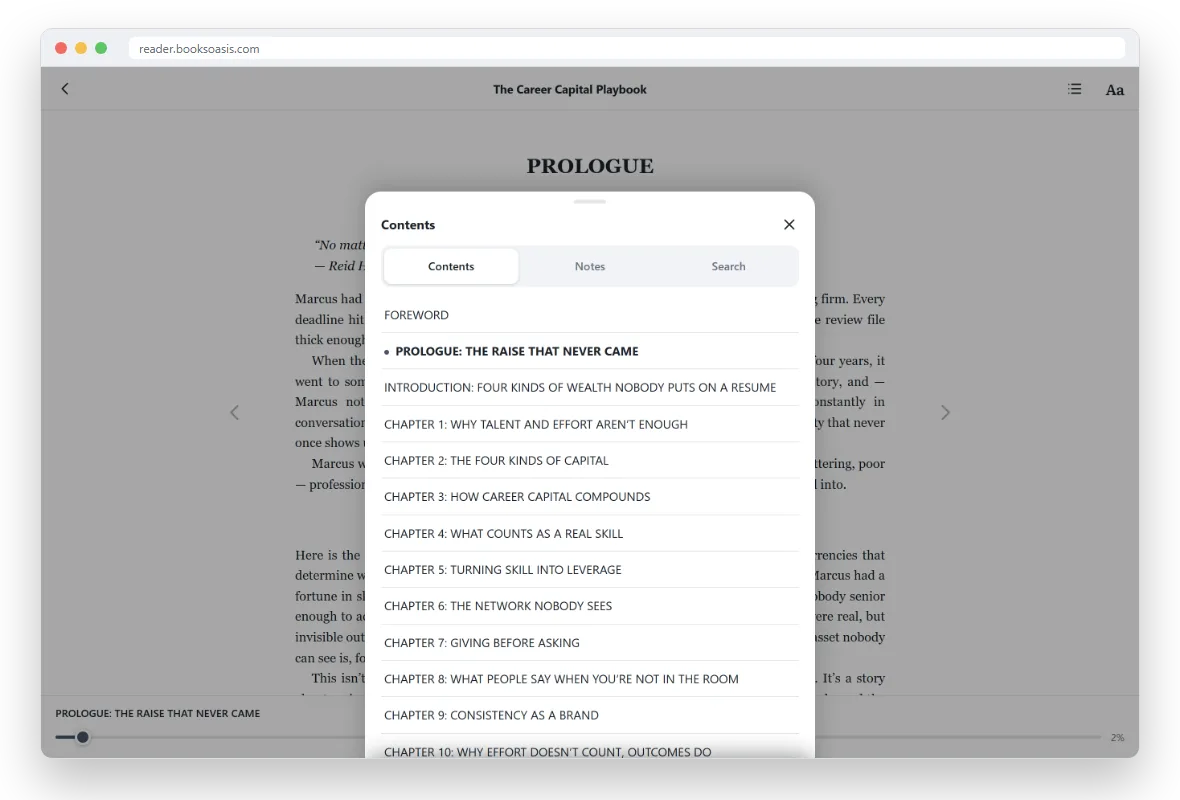
- Read anywhere: a work laptop, a family computer, a phone on the bus.
- Offline: download a book once and read it without a connection.
- Comfort: Light, Sepia and Dark themes, adjustable text size, fonts and spacing.
- Highlights and notes that follow you between devices.
- Deals: a daily deal, weekly offers and series bundles.
What BooksOasis does not do
- It does not send books to Nook, Kindle or Kobo e-readers.
- It does not import your Nook library.
- It has no subscription; you buy a book once and keep it.
- Its catalog is smaller than the big stores, with a focus on independent authors and small presses.
If you have a Nook tablet
Nook tablets are a different case from GlowLight e-readers. The current ones are Lenovo-made Android tablets with Google Play, so you can install other reading apps alongside the Nook app: Kindle, Kobo, Google Play Books and Libby all run on them. Oasis Reader opens in the tablet's web browser, and you can add it to the home screen so it launches like an app.
In other words, a Nook tablet owner doesn't need to choose. One device can hold your Nook library, your library loans and books from any other store, each in its own app.
What happens to your Nook library if you move
Nothing, if you keep your account. The books you bought stay in your Nook library, and you can keep reading them in the Nook app or on your GlowLight while you buy new books elsewhere.
What you can't easily do is move DRM-protected Nook books into another store's app. Barnes & Noble's terms say content must keep its DRM when moved between your devices, which in practice means Nook apps and devices. So most readers don't switch completely. They keep Nook for the books they already own and add a second store for new ones.
Should you switch completely, or add a second store?
| If you... | Consider |
|---|---|
| Love your GlowLight and live in the US | Keep it; add a second store for your phone |
| Live outside the US | Kobo or Kindle for e-ink; a browser reader for everything else |
| Read mostly on your phone | Apple Books, Google Play Books or Oasis Reader |
| Read mostly library books | Libby, alongside your Nook |
| Have an aging Nook | Wait for the 2026 Nook devices, then compare with Kobo |
| Want to read on a work computer | A browser reader: Kindle for web, Google Play Books or Oasis Reader |
Before you buy a new e-reader
- Check where your books live. A new brand of e-reader won't open your Nook purchases.
- Decide on page buttons. If you rely on them, check the model you are considering has them.
- Think about screen size. 6 inches is pocketable; 7 to 8 inches suits larger text and long sessions.
- Library support. Kobo e-readers have OverDrive built in; Kindle supports Libby in the US.
- Try your phone first. Many readers discover they don't need a new device at all. See do you need an e-reader?
How to choose in five minutes
- Where do you read most?E-ink device, phone, tablet or computer.
- Where do you live?Outside the US, rule out relying on Nook for new books.
- Do you borrow?If so, keep Libby in your plan.
- Do you read a lot each month?A subscription may pay off; if not, buy books you keep.
- What do you read?If independent authors and series matter, add a store that carries them.
Reading comfortably when you leave e-ink behind
Readers who move from a GlowLight to a phone often worry about eye strain. A few settings help: a Sepia or Dark theme in the evening, larger text than you think you need, generous line spacing, and night mode on your phone to warm the screen. Oasis Reader offers all of these, and keeps your settings on each device.
More tips in how to read ebooks on your phone comfortably and reading ebooks on a laptop.
Nook alternatives by reader type
| Reader | Best alternative |
|---|---|
| Loves page buttons and e-ink | Kobo, or wait for new Nook devices |
| Reads a book a week | Kindle Unlimited or Kobo Plus, if your books are included |
| Borrows from the library | Libby |
| Reads on a lunch break at work | A browser reader such as Oasis Reader |
| Loves series and deals | BooksOasis series bundles and daily deals |
| Lives outside the US | Kobo, Kindle, Apple Books or BooksOasis |
Books to start with
The bottom line
You don't have to leave Nook to find a better fit. Keep your GlowLight and your library, and add a second store for the books and screens Nook doesn't cover. If you want a new e-reader, Kobo is the closest match and Kindle the biggest store. If you read on the phone and laptop you already own, a browser reader like Oasis Reader gets you reading in a minute.
Questions
Can I read my Nook books in another app?
Nook books with DRM must stay inside an app or device that supports that DRM, which in practice usually means the Nook app or a Nook device. DRM-free books from other stores can be sideloaded onto a Nook e-reader.
Is Nook available outside the US?
The Nook app is listed in the US and UK app stores, but Barnes & Noble's ebook store is built mainly for US customers. Readers elsewhere usually find Kobo, Kindle or Apple Books easier to use.
What is the closest alternative to a Nook e-reader?
Kobo is the closest in spirit: dedicated e-ink readers, EPUB-based books and good library support. Kindle is the bigger store with its own devices.
Are new Nook devices coming?
Barnes & Noble has said new Nook devices are planned for 2026. The current range is the GlowLight 4e, GlowLight 4 and GlowLight 4 Plus.
Do BooksOasis ebooks work on a Nook?
No. BooksOasis ebooks open in Oasis Reader on phones, tablets and computers, including in a web browser. They are not sent to Nook, Kindle or Kobo e-readers.
Do I lose my Nook books if I switch?
No. Books you bought stay in your Nook library while your account is open, and you can keep reading them in the Nook app or on your device while you buy new books elsewhere.
Can a Nook e-reader read library books?
Yes. Nook e-readers can open library ebooks borrowed as Adobe DRM EPUBs, which you transfer with Adobe Digital Editions on a computer. Nook tablets can also run the Libby app.
Which is the cheapest Nook alternative?
Reading apps are free. Apple Books, Google Play Books, the Kindle and Kobo apps, Libby and Oasis Reader all cost nothing to install; you only pay for the books you buy.
Can I read Nook books on a computer?
Barnes & Noble has offered Nook reading apps for phones, tablets and some computers over the years. If you want to read new books in any web browser, Kindle for web, Google Play Books and Oasis Reader all work that way.
Does Nook have a subscription like Kindle Unlimited?
No. Nook sells ebooks one at a time. If you want an all-you-can-read plan, Kindle Unlimited and Kobo Plus are the main options, and our Kindle Unlimited alternatives guide compares them.
Start a second bookshelf today
Buy an ebook and read it on your phone, tablet or computer in a minute.