Amazon sells most of the world's ebooks, so it is easy to forget there are alternatives. There are plenty, and several do things Amazon doesn't. Here are ten, grouped by what they are best for.
Before you choose: three things that matter
Every store below sells ebooks. What separates them is where you can read, what you can do with the file, and who gets paid.
Where can you read?
Some stores only work on their own devices or on one brand of phone. Others work in any web browser. Match the store to the screens you already use.
What happens to the file?
Most stores protect ebooks with DRM, so they open only in that store's apps. A few sell DRM-free files you can keep and open anywhere. Neither is wrong, but it is worth knowing before you buy.
Who gets the money?
A store's cut varies a lot. Buying direct from an author, or from a store that takes a smaller share, sends more of your money to the people who made the book.
The ten options at a glance
| Where | Type | Reads on | Best for |
|---|---|---|---|
| Kobo | Big store | Kobo e-readers, apps | E-ink readers, international buyers |
| Apple Books | Big store | iPhone, iPad, Mac | Apple users |
| Google Play Books | Big store | Android, iPhone, web | Android users, mixed libraries |
| Barnes & Noble Nook | Big store | Nook devices, apps | US readers |
| Bookshop.org | Independent | Its app, web reader | Supporting local bookshops |
| BooksOasis | Independent | Any phone, tablet or computer | Independent publishers, deals, reading anywhere |
| Author and publisher stores | Direct | Varies, often DRM-free files | Getting the most to the author |
| Libby and Hoopla | Library | Apps, web | Borrowing free |
| Project Gutenberg | Free classics | Any reader app | Public-domain classics |
| Standard Ebooks | Free classics | Any reader app | Beautifully formatted classics |
The big stores
1. Kobo
Rakuten Kobo is Amazon's largest ebook rival in many countries. It has its own excellent e-readers, apps for phones and tablets, and library borrowing built into its devices. If you want a Kindle-like experience without Amazon, start here.
2. Apple Books
Built into every iPhone, iPad and Mac, Apple Books is the easiest option for Apple users. It is polished and syncs well, but there is no Android or Windows app, so it suits people who plan to stay with Apple.
3. Google Play Books
Google Play Books works on Android, iPhone and the web. You can also upload your own EPUB and PDF files, so it doubles as a home for books you already own as files.
4. Barnes & Noble Nook
The Nook store and devices are a long-running US alternative. If you already shop at Barnes & Noble, it is a familiar choice; outside the US it is more limited.
Independent sellers
5. Bookshop.org
Bookshop.org, known for supporting independent bookshops, launched an ebook store in January 2025. Buying through a participating shop's page sends part of the sale to that shop (Publishers Weekly). You read in its app or web reader.
6. BooksOasis
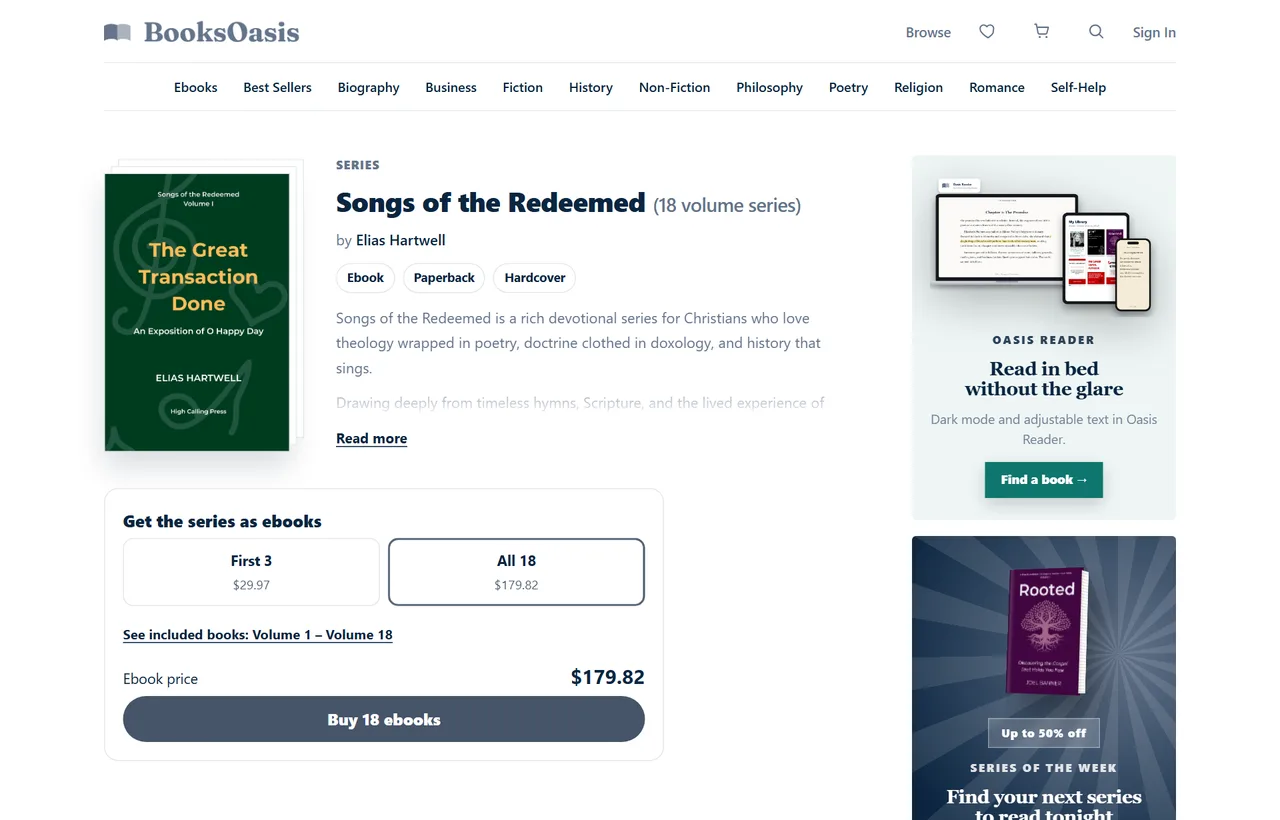
BooksOasis is an ebook-first bookstore where independent authors and publishers sell their books directly. Publishers pay a flat plan instead of a commission, so they keep the full ebook price.
Every ebook opens instantly in Oasis Reader, which runs in your browser on any phone, tablet or computer, works offline, and keeps your place, highlights and notes in step across devices.
Straight from the source
7. Author and publisher stores
More and more authors sell ebooks from their own websites, often through services like Payhip or BookFunnel that deliver the file. Small presses do the same.
Buying direct usually means the author keeps the largest share, and files are often DRM-free. The catch is effort: you buy from each author separately and manage the files yourself.
If you want to understand why buying direct matters to authors, see why buy ebooks directly from independent publishers.
Free, and completely legal
8. Libby and Hoopla
Your public library lends ebooks and audiobooks free. Libby works like a library, with holds and loan periods; Hoopla, where offered, lends instantly with a monthly limit. Between them, you can read a lot for nothing.
9. Project Gutenberg
Project Gutenberg offers tens of thousands of public-domain books free: Austen, Dickens, Tolstoy, Homer and far more. Download them as EPUB files for almost any reading app.
10. Standard Ebooks
Standard Ebooks takes public-domain texts and produces carefully formatted, proofread editions with clean typography and covers. If you are reading a classic, it is often the nicest free edition available.
Where BooksOasis fits
- An independent store for new books from independent authors and publishers, alongside the big stores and your library.
- Instant reading in the browser or as an installed app, online and offline, with synced highlights and notes.
- Deals every day, weekly offers, and series and bundle discounts.
What it doesn't do: ebooks aren't downloaded as files and don't open on Kindle or Kobo e-readers. The catalog is curated, not millions of titles.
See today's offersDRM in one minute
DRM, short for digital rights management, is the protection many stores add to ebooks. It stops a book being copied and shared freely, which protects the author's income.
For readers, DRM has one practical effect: a protected book opens only in the store's own apps or devices. That is why Kindle books stay in Kindle apps and Kobo books stay in Kobo apps.
| Protected ebooks | DRM-free ebooks | |
|---|---|---|
| Where they open | The store's own apps and devices | Most reading apps and e-readers |
| Who uses them | Most big stores and many publishers | Some authors, small presses and classics sites |
| What you manage | Nothing, the store keeps your library | Your own files and backups |
| Protection for authors | Stronger | Relies on readers' goodwill |
Neither approach is better for everyone. Protected books are effortless to manage; DRM-free files give you more control but more housekeeping.
Buying ebooks outside the US
Where you live changes what you can buy. Ebook rights are often sold country by country, so a book available in one country may be missing, or priced differently, in another.
- Stores vary by country. Kobo sells in many countries, while some stores focus on the US.
- Prices are set per region. The same ebook can cost noticeably more or less depending on your country.
- Payment methods differ. Check that a store accepts your card or a local payment option before you build a library there.
- Libraries depend on your card. Libby works wherever your local library offers it.
Keeping your library tidy across several stores
The one downside of using several stores is remembering where each book lives. A little organization solves it.
- Keep one main store.Buy most new books in one place, and use others only when a book or deal is exclusive to them.
- Keep a simple reading list.A note on your phone, a spreadsheet or a reading-tracker app, listing each book and where you bought it.
- Put reading apps in one folder.Group Kindle, Kobo, Libby and any others on your home screen so every book is one tap away.
- Back up DRM-free files.If you buy files direct from authors, keep a copy in cloud storage.
Which should you use?
Most readers end up with a small, sensible mix rather than one store. Here is a combination that suits most people:
| Role | Good choices | Why |
|---|---|---|
| Main store for new books | Kobo, Apple, Google or BooksOasis | Pick the one that works on your devices and stocks your genres |
| Free borrowing | Libby or Hoopla | Covers one-time reads and bestsellers at no cost |
| Classics | Standard Ebooks or Project Gutenberg | Free, legal and well formatted |
| Favorite authors | Their own stores or independent sellers | More of your money reaches them |
What about the books already on your Kindle?
Buying elsewhere doesn't mean losing what you have. Your Kindle books stay in your Amazon account, readable in the free Kindle app on your phone or computer.
They can't be moved to other stores, because they are protected to open only in Kindle apps. So keep the Kindle app for your existing library, and let new purchases go wherever suits you best.
Five questions to ask before buying from a new store
Trying a new store is low risk, but a minute of checking saves frustration later.
- Does it work on my devices? Check the store's app or reader runs on the phone, tablet or computer you actually read on.
- Can I read offline? If you commute or travel, make sure books can be downloaded to the device.
- What are the refund rules? Look for the store's refund policy before your first purchase, especially for accidental buys.
- Is my payment method accepted? Particularly important outside the US.
- Will my notes follow me? If you highlight a lot, check that highlights and notes sync between devices.
If a store passes all five, buy one inexpensive book first. You will know within a chapter whether it suits you.
Tips for buying ebooks outside Amazon
- Check the price in two places. The same ebook can differ by a few dollars between stores.
- Look for series and bundle deals. Buying several books together is often much cheaper.
- Read on your best screen. Choose a store whose app or reader works on the device you actually read on.
- Keep a simple list. Note which store holds which books, so you always know where to find them.
- Use offline downloads. Save books to your device before traveling so you are never without a signal.
Books worth starting with
Readers’ favorites this week.
A simple starter setup
If you want a concrete place to begin, this takes about ten minutes:
- Install Libbyand add your library card for free borrowing.
- Choose one storethat works on the device you read on most, and create an account.
- Download one free classicfrom Standard Ebooks to try a DRM-free file.
- Buy one book on offerfrom your new store and read the first chapter tonight.
The short version
Amazon is convenient, but it is far from the only place to buy ebooks. Big stores give you choice of devices, independent sellers and author stores send more money to the people who make books, and your library and public-domain collections give you a lot for free.
Pick one main store that suits your devices, add a library card, and buy your favorite authors wherever they earn the most. You will likely read more, and spend less, than you did in one store alone.
Questions
Is it cheaper to buy ebooks outside Amazon?
Sometimes. Prices for the same book vary between stores, and each store runs its own deals. Compare the book you want, and watch for daily and weekly offers.
Can I read ebooks from other stores on my Kindle?
Usually not. Most stores protect their ebooks so they open only in their own apps or devices. DRM-free EPUB files can sometimes be sent to a Kindle using Amazon's Send to Kindle service.
Where can I get free ebooks legally?
Public-domain classics are free from Project Gutenberg and Standard Ebooks, and your public library lends current ebooks free through Libby or Hoopla.
What is the most ethical place to buy ebooks?
Buying direct from an author or independent publisher, or through a store that shares sales with independent bookshops, generally sends more of your money to the people who made the book.
Do I need a special app for each store?
Most stores have their own app. Some, including BooksOasis, also let you read in a web browser, so there is nothing to install.
Can I get refunds on ebooks bought outside Amazon?
Each store sets its own refund rules, and many allow a refund for an accidental purchase within a short time. Check the store's refund policy before your first order.
Buy your next ebook outside Amazon
Instant reading on any device, from independent publishers.