Getting started on BooksOasis
How to find your way around the store: creating a reader account, browsing by genre, searching, reading a book page and saving books for later.
Do you need an account?
Not to look around. You can browse, search and add books to your cart without signing up. Your cart is kept in your browser until you sign in, and then it joins your account.
You need a reader account to check out, to save favorites and to write reviews. Creating one takes three things: your name, your email address and a password with at least 8 characters, including an uppercase letter and a number. You can do it on the Create an account page, or right in the cart when you check out.
There is also an optional box for occasional offer emails. It starts unticked, so you only get offers if you ask for them.
Browse by genre
The genre bar runs along the top of every store page, just under the menu.
- Best Sellers always comes first. Open it to jump straight to the best sellers in a single genre, such as Romance or Mystery.
- After that, genres run from A to Z. Many have sub-genres you can pick from the same menu.
- Each genre has its own page listing the books in it.
Explore the homepage shelves
The homepage opens with New Releases, the newest books first. Further down, depending on what is in the store at the time, you will find shelves such as:
- BooksOasis Picks: books our editors chose. A picked book's page includes a short note from the editors on why.
- Coming Soon: books you can pre-order before they come out.
- Best Sellers: ranked by real sales. Until there are enough sales to rank, this shelf is called Featured Books.
- Genre shelves, Best Series, Best New Authors and On Sale Now for books with a limited-time price.
Filter and sort
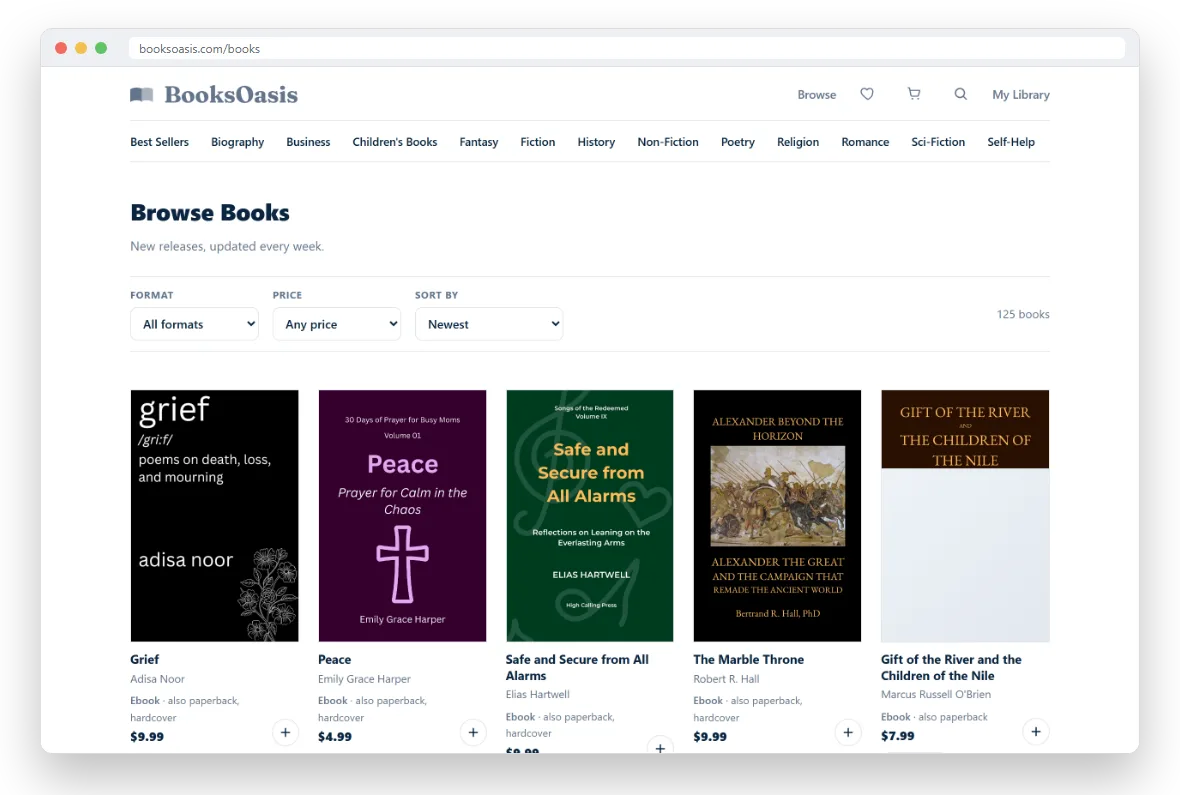
Choose Browse in the menu to see every book. Three controls sit above the results:
- Format: ebook, paperback or hardcover.
- Price: under $5, $5 to $10, $10 to $20, or $20 and up.
- Sort by: newest, best selling, top rated, price low to high or high to low, or title A to Z. Top rated puts books with an average rating first, which means books with three or more reviews.
Your choices are saved in the page address, so you can bookmark a filtered list or share it with a friend.
Search for a book
Tap the magnifying glass in the menu and type what you are looking for. Search looks at titles and subtitles, author names, series names, publishers, genres, keywords and book descriptions. Titles that match best come first, and any matching authors are listed above the results so you can go straight to their page.
If you know a book's ISBN, type it in (with or without dashes) to find that exact book.
Read a book page
A book page gives you everything you need to decide:
- The cover, title, author and publisher. The author's name links to a page with all their books.
- Labels such as BooksOasis pick or Bestseller when they apply.
- A series line such as "Book 2 of 5" with a link to the series, if the book is part of one.
- The release date, if the book is a pre-order.
- The description. Long ones fold up; tap Read more to see it all.
- The formats and prices, with Add to Cart and Buy Now. See Buying books for how these work.
- Customer reviews, other books in the same series, and a "You may also like" shelf.
Save books to your favorites
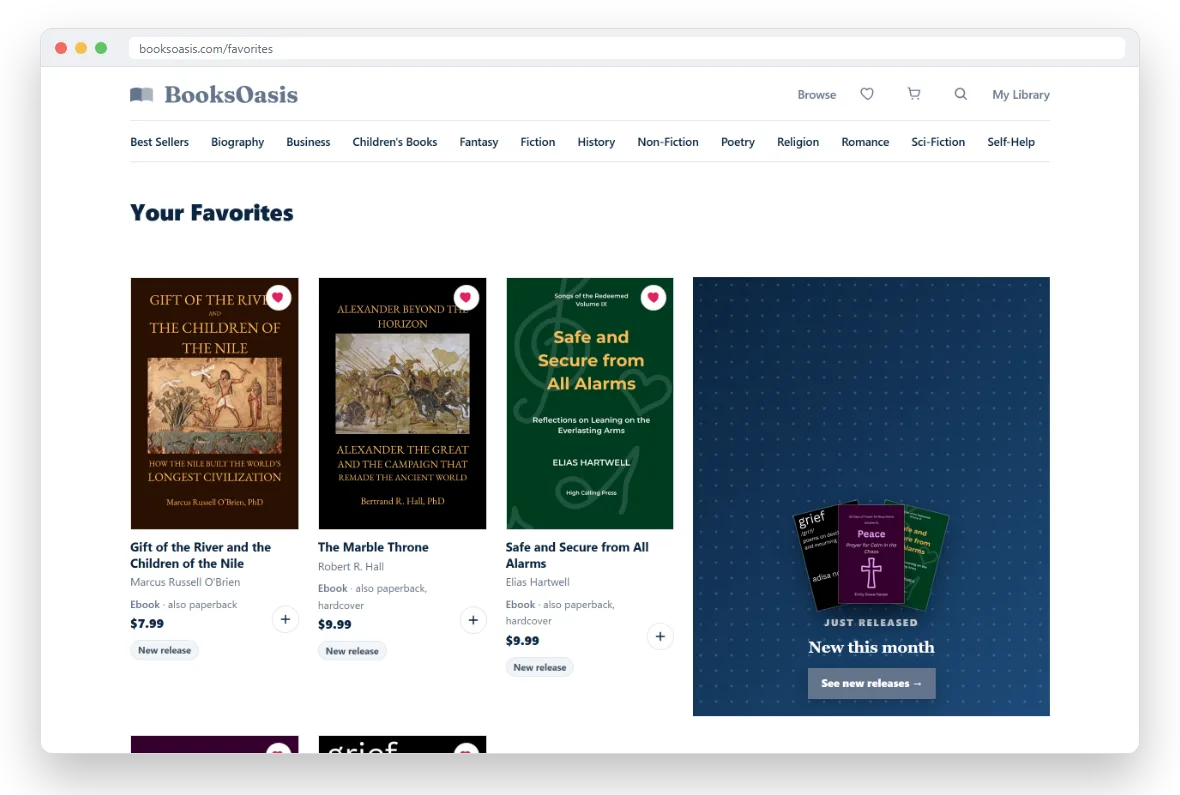
See a book you want to come back to? Tap the heart on its cover, on any book card or on the book page. If you are not signed in yet, you will be asked to sign in first. Tap the heart again to remove it.
All your saved books are on the Favorites page, which you can open from the heart icon in the menu.
Ready to find your next book?
Browse the whole store, or start with a genre.