Buying books
Choosing a format, using the cart or Buy Now, paying, and what happens the moment your payment goes through.
Ebook, paperback or hardcover
A book can come in an ebook, a paperback, a hardcover, or any mix of the three. The author decides which formats to offer and sets a price for each one.
- Ebooks are read in Oasis Reader, our reading app for phones, tablets and computers. They are not downloaded as files. You buy an ebook once, so there is no quantity to choose.
- Paperbacks and hardcovers are printed to order and shipped to you.
A book page only shows the formats you can buy right now. If none are ready yet, you will see "This book isn't available to buy yet."
Choose a format
On the book page, the formats appear as buttons with their prices. Paperback is selected first when the book has one. Tap a different format to switch.
When a format has a limited-time price, you will see the old price crossed out and a note of how much you save on that format, with the date the offer ends if it has one. You can find every discounted book on the On Sale page.
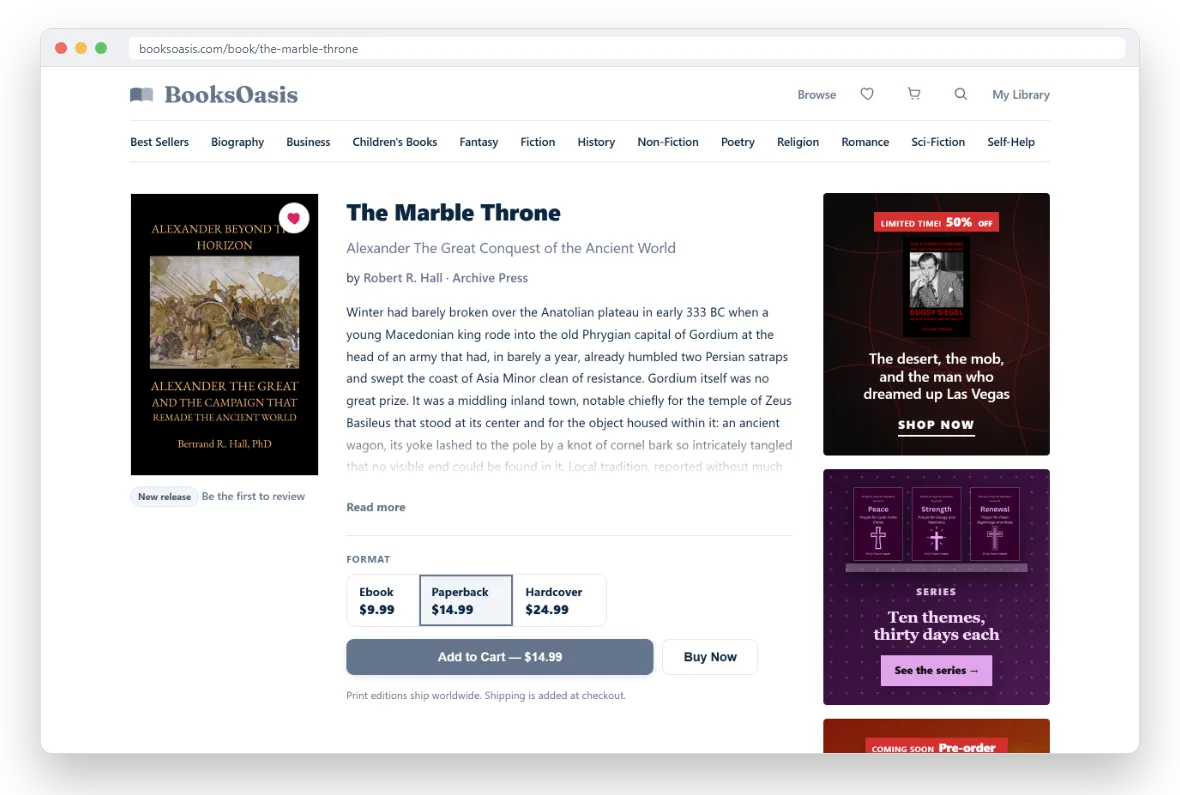
Add to Cart or Buy Now
Add to Cart saves the selected format in your cart. You do not need an account for this. A small message confirms it with links to view your cart or check out. You can also add books from any book card with the + button, or with Quick Add on a cover.
Buy Now buys just this one book and leaves your cart as it is.
- Signed in and buying an ebook: you go straight to payment.
- Buying a print book: you are asked where to ship it first.
- Not signed in: a short form asks for your name, email and a password, so your book has a library to go to.
Check your cart
Open the cart from the cart icon in the menu. For each book you can see the format and price, remove it, and, once you are signed in, choose how many copies of a print book you want (1 to 10). The cart holds up to 50 books.
The order summary on the right shows your total. If your cart includes a print book, it also asks for your shipping address. If you are not signed in, it asks for your name, email and a password to create your account as part of checkout. Already have an account? Use the Sign in link below the button and your cart comes with you.
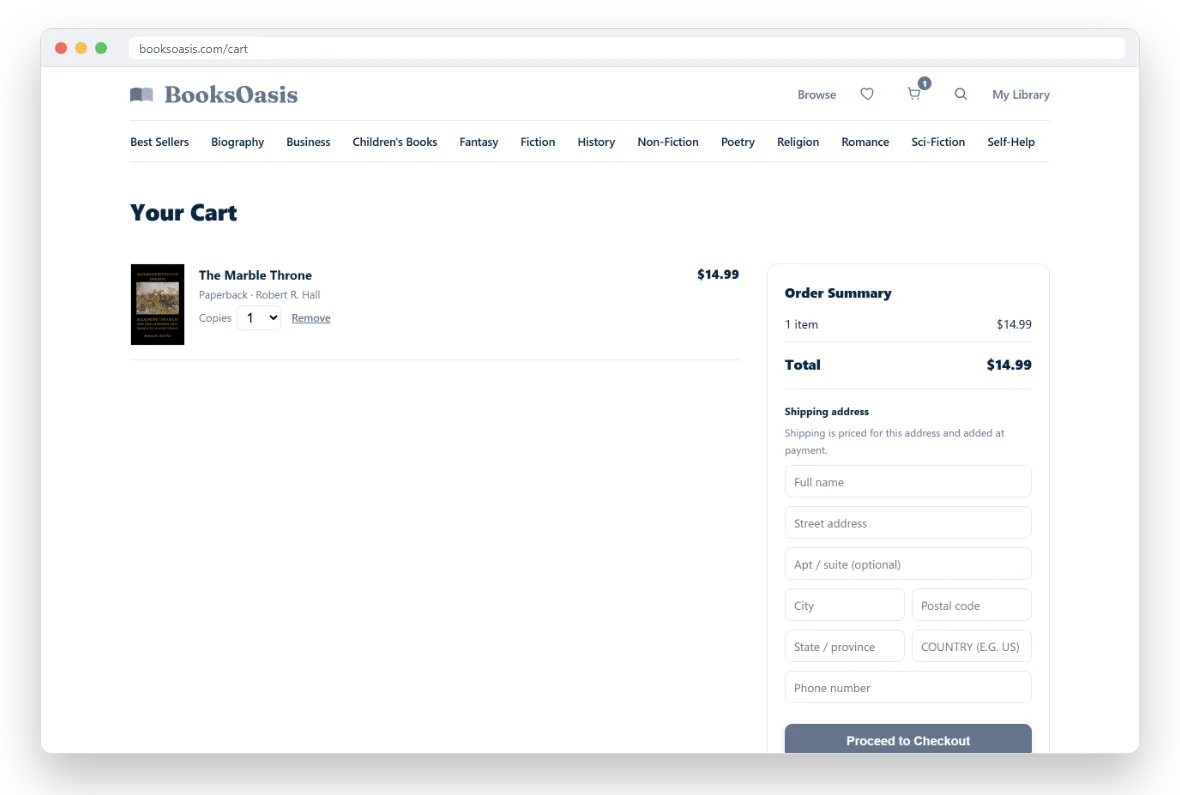
Pay for your order
Select Proceed to Checkout (or Create account & check out). You are taken to a secure payment page that shows the amount to pay. Choose one of the payment methods listed there, such as a debit or credit card or PayPal. The methods on offer can change, and the page always shows what is available before you confirm.
Prices are fixed the moment you start checkout, including any sale price running at that time and the shipping for your address. If you add more books while you are paying, they stay in your cart for next time.
Use your store credit
Your BooksOasis wallet holds store credit, for example from a refund or a birthday gift. You do not need to do anything to use it:
- The cart shows a "Store credit" line and the amount left to pay.
- At checkout the credit comes off automatically, and only the rest is charged.
- If your credit covers the whole order, it completes without a payment page.
- If you leave a checkout without paying, the credit goes back to your wallet.
You can see your balance and its history under Account in My Library.
What happens after you pay
You come back to My Library with a message confirming your order, and a confirmation email is sent to you with your order number.
- Ebooks are in your library straight away, with a Read now button. A pre-order opens on its release date instead.
- Print books appear under My Orders. Each copy is printed to order, and we email you tracking when it ships.
Looking for something to read tonight?
Ebooks are in your library the moment payment goes through.