Streaming made subscriptions feel normal. For books, though, the maths is different. A novel takes days or weeks to read, and many readers return to the same books for years. Paying monthly for access you lose when you cancel isn't always the best deal.
This guide lists the best ebook apps where you pay per book, explains what "owning" an ebook really means, and shows how to keep costs low without a monthly fee.
Subscription vs buying: the difference
| Subscription | Buying | |
|---|---|---|
| Cost | Monthly fee, every month | Once per book |
| Catalog | Whatever the plan includes | Any book the store sells |
| After you stop | Books disappear | Books stay in your library |
| Rereading | Only while subscribed | Any time |
| Best for | Very heavy readers of the included catalog | Most readers, and anyone who rereads |
The best ebook apps with no subscription
| App | Runs on | Buy books in-app or on the store | Optional subscription |
|---|---|---|---|
| Kindle | Phone, tablet, computer, browser, Kindle e-readers | Yes | Kindle Unlimited |
| Kobo | Phone, tablet, computer, Kobo e-readers | Yes | Kobo Plus |
| Apple Books | iPhone, iPad, Mac | Yes | None |
| Google Play Books | Android, iPhone, browser | Yes | None |
| Oasis Reader (BooksOasis) | Any browser on phone, tablet or computer | Yes | None |
Kindle: free app, optional Unlimited
The Kindle app costs nothing. Amazon will promote Kindle Unlimited, at $11.99 a month in the US, but you can ignore it and buy books one at a time. Your purchases stay in your Kindle library on every device you sign in to, and in the browser through Kindle for web.
Kobo: free app, optional Kobo Plus
Kobo's apps are free too, and Kobo Plus is optional. Kobo also sells some books DRM-free, which you can download as EPUB files and open in other apps. Kobo e-readers are a good choice if you want e-ink without a subscription.
Apple Books and Google Play Books: no subscription at all
Neither Apple Books nor Google Play Books offers an ebook subscription. Both sell books one at a time and both let you add your own EPUB and PDF files, so they double as readers for books you bought elsewhere DRM-free. Apple Books is for Apple devices only; Google Play Books runs on Android, iPhone and the web.
Oasis Reader: buy once on BooksOasis
Oasis Reader is the free reading app for books bought on BooksOasis, an independent bookstore. There's no subscription and no plan to upgrade to. It runs in any modern browser, so it works on iPhone, Android, Windows, Mac and Chromebook, and you can add it to your home screen so it opens like an app.
- Offline: download a book once and read without a connection.
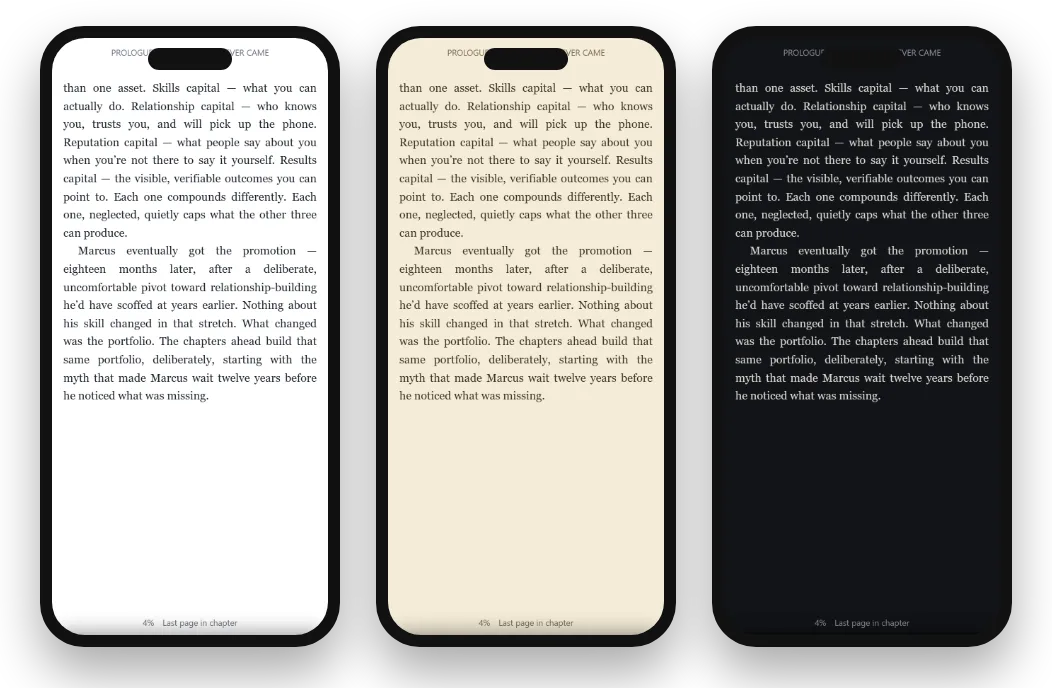
- Comfort: Light, Sepia and Dark themes, text size, fonts and spacing.
- Highlights and notes that follow you between devices.
- Savings without a plan: a daily deal, weekly offers and series bundles.
What BooksOasis does not do
- It has no all-you-can-read plan, by design.
- Oasis Reader opens books bought on BooksOasis, not your own uploaded files.
- It doesn't send books to Kindle, Kobo or Nook e-readers.
- Its catalog is smaller than the big stores, with a focus on independent authors and small presses.
Free apps for your own EPUB files
If you already have DRM-free EPUB files (from a store that sells them without DRM, or from public-domain sites), you don't need any store at all to read them.
| App | Where | Good for |
|---|---|---|
| Google Play Books | Android, iPhone, browser | Uploading your files and reading on every device |
| Apple Books | iPhone, iPad, Mac | Adding EPUB and PDF files on Apple devices |
| Caliber | Windows, Mac, Linux | Organizing a large collection of your own files |
| Thorium Reader | Windows, Mac, Linux | Reading EPUBs on a computer, with accessibility features |
| Kobo e-readers | E-ink | Reading DRM-free EPUBs on a paper-like screen |
Libby: free borrowing, no subscription
Libby lends ebooks and audiobooks free through your public library. You need a library card, and popular books often have a waitlist, but there's nothing to pay. Borrow the books you'll read once; buy the ones you'll keep.
What "owning" an ebook really means
When you buy an ebook from a store, you're buying a license to read it in that store's apps and devices. That is different from a paperback: you usually can't resell it or lend it freely. But it is also different from a subscription. The book doesn't vanish when a monthly payment stops, because there is no monthly payment.
Two habits protect your library: buy from stores you trust to be around, and for DRM-free purchases, keep a copy of the file somewhere you control.
What to check before you buy from any store
- Where can you read it? Make sure the store's app runs on the devices you actually use, including a work computer if you read at lunch.
- Can you download it? Offline reading matters for travel and commutes.
- Is it part of a series? Look for a bundle before buying volumes one by one.
- Is it on sale? If not, save it to favorites and wait a little.
- Which format? Some books come as an ebook, paperback and hardcover; buy the one you'll reach for.
None of these checks takes more than a minute, and together they make buying cheaper and more satisfying than any monthly plan.
Is a subscription ever cheaper?
Yes, for some readers. Here is a rough year of reading at US prices.
| Books a month | Kindle Unlimited ($11.99/mo) | Buying at $4.99 | Buying at $2.99 on sale |
|---|---|---|---|
| 1 | $143.88 | $59.88 | $35.88 |
| 2 | $143.88 | $119.76 | $71.76 |
| 3 | $143.88 | $179.64 | $107.64 |
| 5 | $143.88 | $299.40 | $179.40 |
A subscription wins for heavy readers, but only if the books you want are in its catalog. Buying wins for everyone else, and you finish the year with a library. Libby beats both on cost if you can wait.
How to save without a subscription
- Buy on sale.Daily deals and weekly offers cut prices on books you already wanted.
- Buy series together.Series bundles cost less than buying volumes one at a time.
- Save books you want.Keep favorites or a list, and buy when the price drops.
- Borrow first.Try an author through Libby; buy the ones you love.
- Read samples and descriptions.The cheapest book is the one you don't buy by mistake.
More in how to find ebook deals, ebook bundles and buying an ebook series.
Reading offline, without a plan
A common worry is that buying books means being tied to a Wi-Fi signal. It doesn't. Kindle, Kobo, Apple Books and Google Play Books all let you download books you've bought. Oasis Reader does it automatically: open the app once while connected and every book you own is saved to the device, ready on a plane, underground or anywhere the signal drops. Your place, highlights and notes catch up the next time you're online. More in how to read ebooks offline.
Reading as a household
Families often end up with several subscriptions, one per person, each renewing quietly. Buying is simpler to manage. A parent can buy a devotional or a history book once and read it on their own phone, tablet and laptop, while each family member builds their own library at their own pace. Some stores also offer family sharing features; check each store's terms, since rules differ.
For children and teenagers, a no-subscription app also means no surprise renewals. You decide each purchase, and the book is there to reread.
Three readers, three choices
A busy nurse who reads on night-shift breaks dropped Kindle Unlimited when she realized she was finishing one book a month. She now buys that one book on sale and saves around $80 a year.
A retired engineer with hundreds of DRM-free EPUBs keeps them organized in Caliber on his computer, reads them on a Kobo, and buys new books wherever the price is best.
A small-group leader buys the devotional series her group is reading as a bundle, reads it in Oasis Reader on her phone before meetings, and keeps her highlights for next year.
Canceling a subscription you no longer need
If you're paying for a plan you barely use, check three things before canceling: which books you're halfway through, whether any credits or unlocks will be lost, and which books you'd want to buy to keep. Then cancel a few days before the renewal date, and set up a no-subscription app for what comes next. Our Scribd alternatives and Kindle Unlimited alternatives guides go into detail.
No-subscription picks by reader type
| Reader | Best choice |
|---|---|
| Reads one or two books a month | Any free app, buying on sale |
| Has a folder of EPUB files | Google Play Books, Apple Books or Caliber |
| Wants e-ink with no plan | A Kobo or Kindle e-reader, buying books |
| Reads on many devices | A browser reader: Kindle for web, Google Play Books or Oasis Reader |
| Loves series | Series bundles on BooksOasis |
| On a tight budget | Libby, plus the occasional deal |
Books to start with
The bottom line
You don't need a subscription to read ebooks. The main apps are free, and buying the books you want, on sale or in bundles, often costs less than a monthly plan while leaving you with a library that's yours. Borrow the rest through Libby, and keep your own files in a free reader.
Questions
Is there an ebook app without a subscription?
Yes, most of them. The Kindle, Kobo, Apple Books, Google Play Books and Oasis Reader apps are free to use, and you pay only for books you choose to buy.
Are the Kindle and Kobo apps free?
Yes. Both apps are free. Kindle Unlimited and Kobo Plus are optional subscriptions; you can buy books one at a time instead.
Do I really own ebooks I buy?
You own a license to read the book in that store's apps and devices, for as long as the store supports your account. It doesn't expire when you stop paying anything monthly, unlike a subscription.
Which app is best for my own EPUB files?
Google Play Books and Apple Books both accept your own EPUBs. On computers, free apps such as Caliber and Thorium Reader open DRM-free EPUB files.
Can I read library books without a subscription?
Yes. Libby is free with a library card and lends ebooks and audiobooks.
Does Oasis Reader need a subscription?
No. Oasis Reader is free and opens the books you buy on BooksOasis, on any phone, tablet or computer.
Is a subscription ever worth it?
If you read several books a month and they are in the catalog, a subscription like Kindle Unlimited can cost less per book. You just don't keep anything when you stop.
How can I save money without a subscription?
Buy on sale, use series bundles, borrow from the library, and keep a list of books you want so you can buy when the price drops.
Can I read without internet in these apps?
Yes. Most let you download books to read offline. Oasis Reader keeps every book you own on your device, so it reads without a connection.
Which no-subscription app works in a browser?
Kindle for web, Google Play Books and Oasis Reader all run in a web browser.
Will I be charged automatically in these apps?
Not unless you start a subscription or free trial. Buying a single book is a one-off payment. If you do start a trial, set a reminder a few days before it ends.
Can I buy paperbacks as well as ebooks?
On BooksOasis, many books come as an ebook, paperback and hardcover, each bought once. Choose the format you will actually reach for.
Buy once. Keep it.
No subscription, no monthly fee: just books you own, with daily deals and series bundles.